Yelp combines traditional business listings in a directory like Yellow Pages with social elements. Customers can leave feedback on their experiences with that business which does two things. It informs future customers of what they might expect and it keeps standards high or forces an improvement of those standards to prevent negative feedback.
Yelp enables customers to search for your event planning business to see ratings and reviews.
If used correctly this platform can be used to build your client list and book more event planning clients. I’m sharing 5 tips for using Yelp effectively. You can also use this step by step tutorial for setting up your Yelp Listing.
elp isn’t just a place for restaurant reviews—it’s a powerful search engine that potential clients use to find local businesses based on trust and reputation. If you are an event or wedding planner, ignoring Yelp means leaving money on the table.
Many planners set up a page once and forget about it, but with the right strategy, Yelp can become a consistent source of leads. Today, we’re breaking down five easy steps to optimize your Yelp presence and turn casual browsers into booked clients.
1. Claim and Verify Your Business Page
If you haven’t formally claimed your page, step one is to visit Yelp for Business owners and search for your listing. Often, a page already exists because a user checked in or left a review.
Once you find it, claim it immediately. This gives you control over the information displayed. Take this opportunity to ensure every detail is accurate—your hours, contact info, and website link need to be up-to-date. Nothing frustrates a potential client more than a disconnected phone number or a broken link.
2. Engage with Your Reviews
Yelp is a social platform, and engagement matters. Don’t just let reviews sit there—respond to them.
- Positive reviews: Thank the client for their kind words. It shows you appreciate their business.
- Negative reviews: Use this as a chance to professionally resolve an issue. A calm, helpful response to a bad review can sometimes impress a future client more than a perfect five-star rating.
Active engagement signals to Yelp—and to users—that you are a responsive, caring business owner.
3. Showcase Your Work with Photos
As an event planner, your product is visual. Clients need to envision what you can do for them, and “a picture is worth a thousand words” is a cliché for a reason—it’s true.
Upload high-quality images of your best events. Show off the decor, the lighting, and the happy guests. If a client can’t see the quality of your work, they are likely to click away before they ever contact you. Treat your Yelp photo gallery like a mini-portfolio.
4. Leverage Yelp Deals
Yelp has a feature called “Yelp Deals” that allows you to offer special incentives, such as discounts or gift certificates.
While you shouldn’t constantly discount your premium services, a small incentive can be the nudge a hesitant lead needs to reach out. Consider offering a small “bonus” or a gift certificate towards a specific add-on service. It’s a great way to start a conversation and get a potential client through the door.
5. Track Your Analytics
One of the most underutilized features of Yelp is the business owner dashboard. It offers valuable analytics that show you exactly how people are finding you.
You can track:
- How many people view your page.
- Where the traffic is coming from (e.g., Google search vs. Yelp search).
- What actions they take (e.g., clicking your website link or calling you).
Use this data to refine your marketing. If you see traffic spiking from a specific source, you know where to double down your efforts.
Ready to Market Your Business Further?
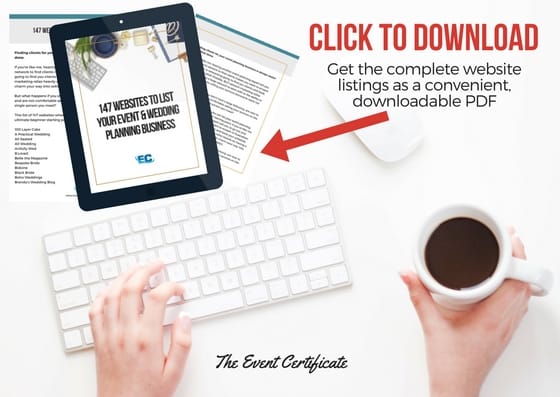
Optimizing Yelp is just the start. If you want to expand your reach even more, download a copy of our list of 147+ websites to advertise your event planning business for free, or at a low-cost.